Quick answer
To track your LTO plate number, use your MV File Number (found on your CR, OR, or claim stub) in the Plate / MV File checker. Remove extra leading zeros before searching. A result either confirms your plate is ready and shows the releasing office, or explains why nothing was found yet. This guide walks through the full process and every possible outcome.
Before You Start: What You Need

You need exactly one of two things: your MV File Number, if your plate has not been produced yet, or your plate number itself, if it has already been printed and appears on your CR. Both are explained in full detail in our MV File Number lookup guide. Have your CR or claim stub on hand before you begin, rather than relying on memory.
The Full Tracking Process, Step by Step
- Confirm your vehicle qualifies. This tracking method covers brand-new vehicles registered at an LTO-NCR New Registration Unit (office codes 1301, 1303, 1801, 1336, 1366, or 1380). If you registered outside NCR, skip to the outside NCR section below.
- Locate and format your reference number. Find your MV File Number and trim any extra leading zeros, keeping the four-digit office code intact.
- Open the checker and select the right mode. Use the Plate / MV File checker on the homepage.
- Submit your query. Enter your formatted number and submit.
- Interpret your result. See the full breakdown of possible outcomes below.
- Act on your result. Depending on what you see, either wait and check again later, proceed to pickup or delivery, or follow up directly with your registering office.
Interpreting Every Possible Result
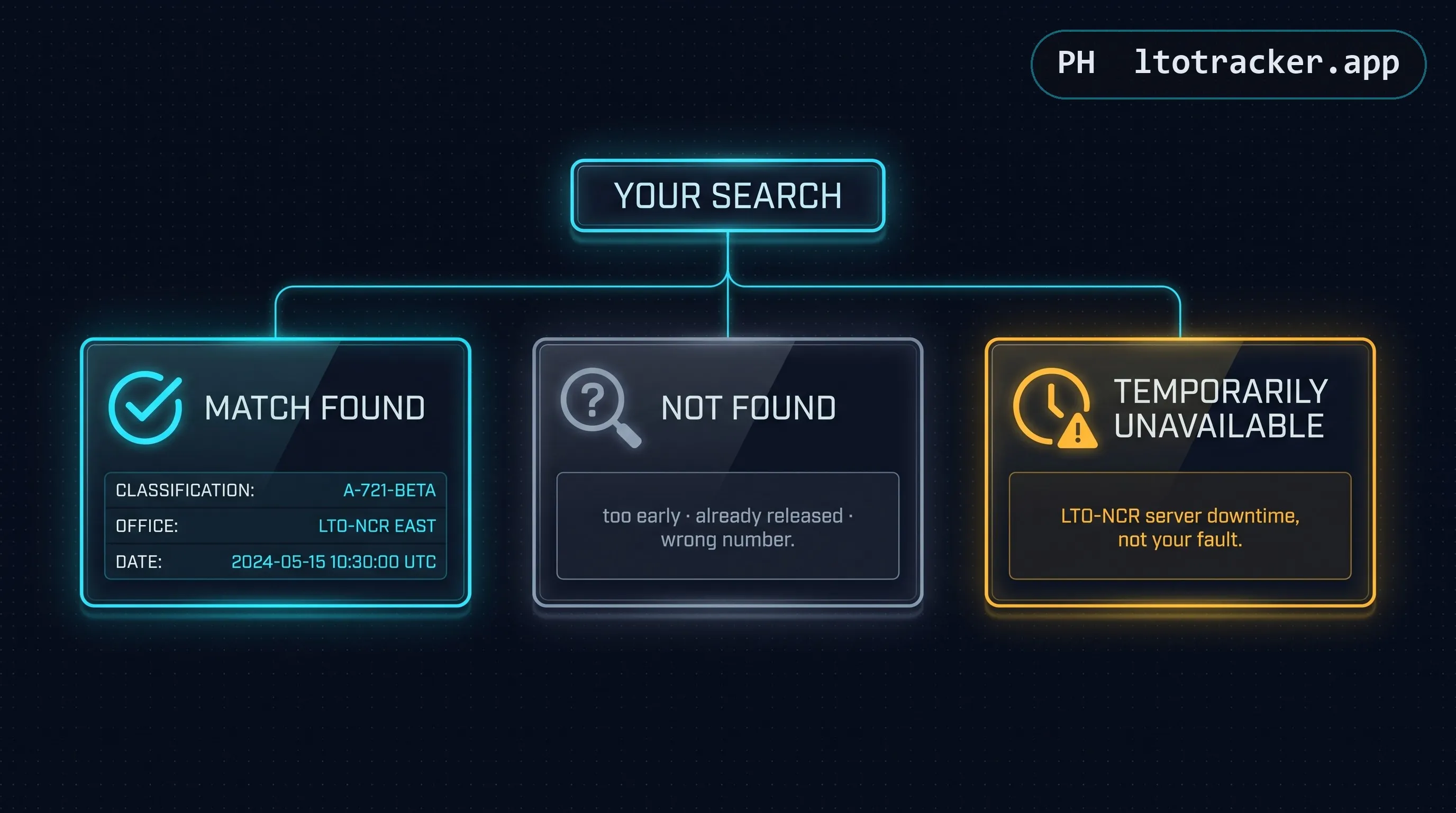
A match with full status details. This means your plate has been produced and released. You will see your vehicle classification, the releasing LTO-NCR office, who it was released to (typically your dealer), and the release date. This is your green light to arrange pickup or watch for a courier tracking number.
"Zero results" or "not found." This is the most common result and almost always means one of three things: your registration has not yet propagated into the database (normal within the first few business days), your plate has already been released and picked up (so the record left the pending list), or your MV File Number was entered incorrectly. Work through the not-found checklist below before assuming anything is wrong.
A temporary unavailable message. This reflects downtime on LTO-NCR's own servers, not an issue with your registration. Wait and try again later.
The Not-Found Checklist
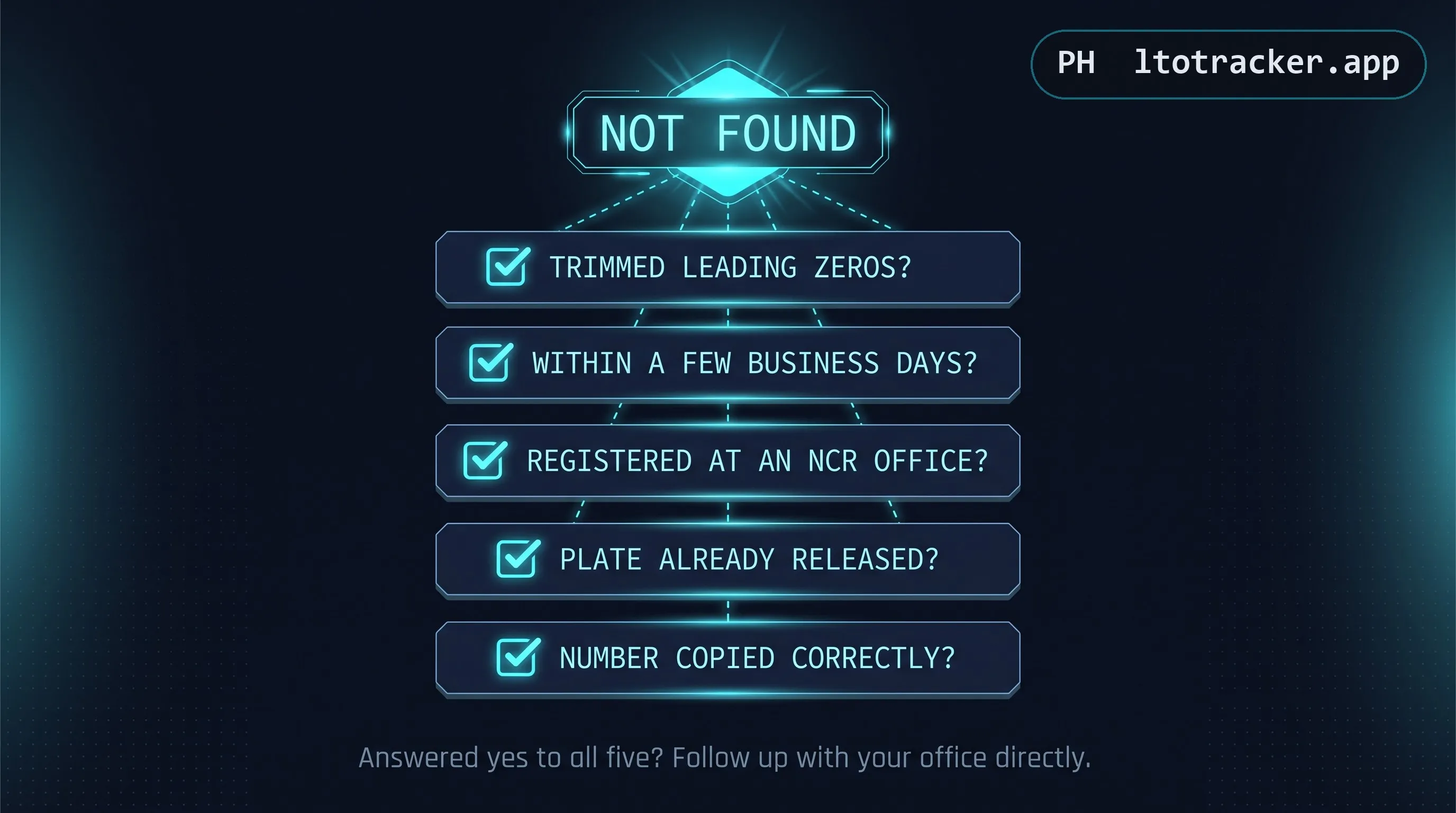
- Did you remove extra leading zeros from your MV File Number?
- Is it within a few business days of your registration date? If less, this is expected.
- Was your vehicle registered at an LTO-NCR New Registration Unit specifically, not a provincial office?
- Could your plate have already been released? Try searching your plate number instead if you have one.
- Did you copy the number correctly, digit by digit, from your source document?
If you can answer all five confidently and still get no result after a reasonable wait, a direct follow-up with your registering LTO-NCR office is the appropriate next step.
Realistic Timeline Expectations
There is no fixed number of days between registration and plate release. LTO's centralized production pipeline serves every New Registration Unit in NCR at once, so total wait time depends on nationwide registration volume and production capacity rather than anything specific to your transaction. Waits ranging from a few weeks to several months have all been observed in recent years. Checking once every three to five days is a reasonable rhythm; checking multiple times per day provides no advantage.
If You Registered Outside NCR
This checker, and every NCR-scoped tracker like it, has no visibility into registrations processed outside LTO-NCR's New Registration Unit network. If your vehicle was registered in Cebu, Region 3, Region 4A, or any provincial office, your best path is a direct follow-up with that specific registering office. LTMS, LTO's nationwide account-based platform, may also reflect your status if your transaction was processed through it.
Once Your Plate Is Ready
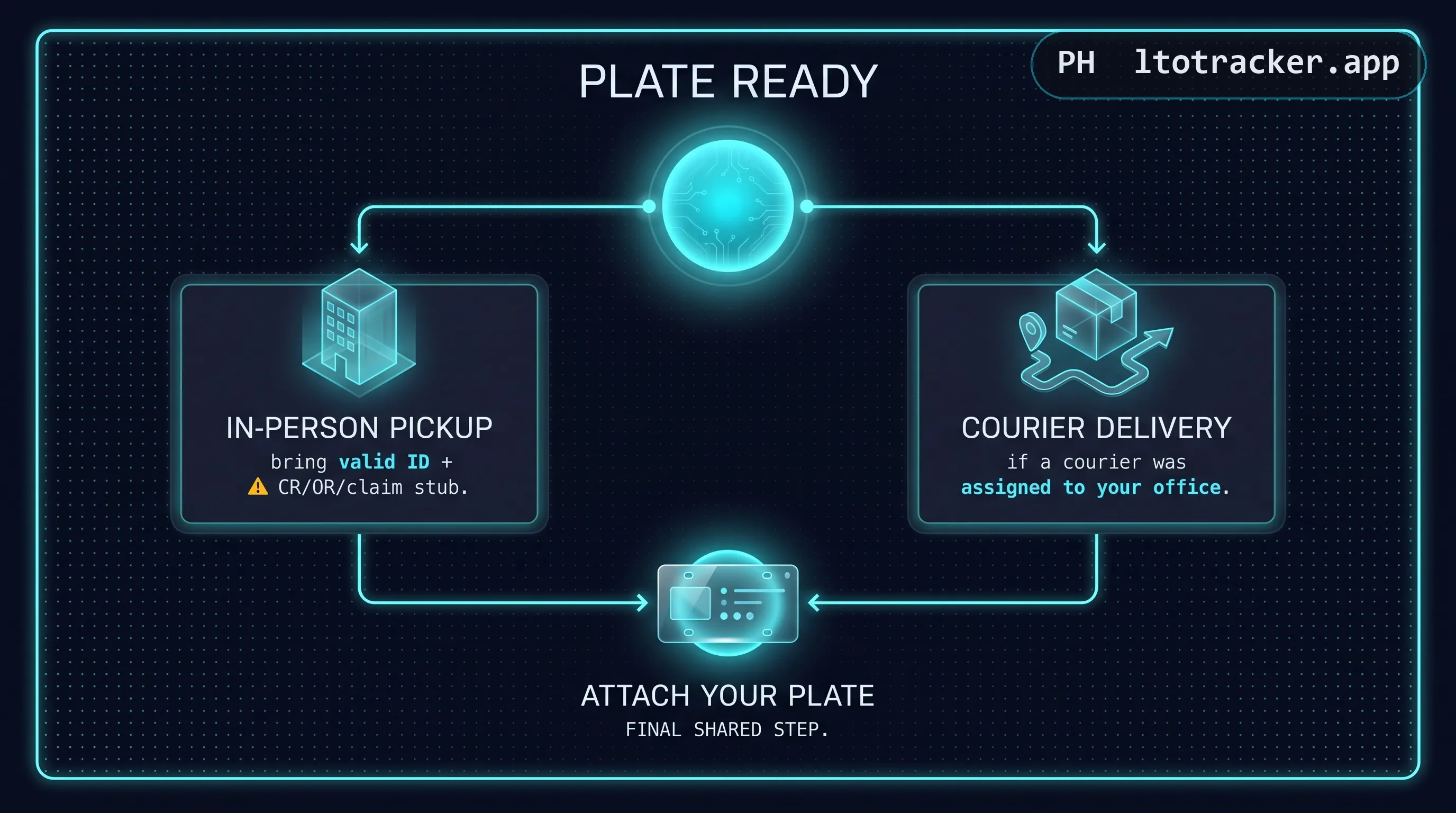
Depending on your office and whether a delivery courier was assigned, you will either pick up your plate in person or receive it via courier. See our courier delivery guide for how to track that final step. Bring a valid ID and your CR, OR, or claim stub regardless of which route applies to you.
Ready to check? Head to the homepage checker and follow the steps above.